 ise
iseAttendance, finally under control.
RollWise turns your LMS attendance into a control room — live sessions, drift alerts, one-click outreach. Know before it's too late.
every dot is a student — move your cursor through them
WHY IT MATTERS
Dropout doesn't announce itself.
It drifts in.
One missed class becomes a streak. A streak becomes disengagement. By the time it reaches the gradebook, the student is already half-gone. Attendance is the earliest signal a course produces — and the gap between that first signal and the first failing grade is your window to act.
WEEK 1
semester starts
WEEK 3 — first absence
RollWise flags it the same day — and asks the student why
WEEK 5 — a streak forms
briefing + alerts: one-click nudge from your own account
WEEK 8 — midterms
where gradebooks notice for the first time
WEEK 12+
withdrawal — too late for anyone
WEEKS 3–8: THE INTERVENTION WINDOW — WHERE ROLLWISE LIVES
THE CONSOLE — MOVE YOUR CURSOR, CLICK THINGS
Every card below actually works.
Real-time check-in
Tap seats to check students in — watch the rate respond. No hardware, any device.
0%
PRESENT
← that purple seat is Dana Flores — 58%, below threshold. RollWise flagged her automatically.
Grade sync
Push to your LMS in one click.
14 students · attendance rates ready
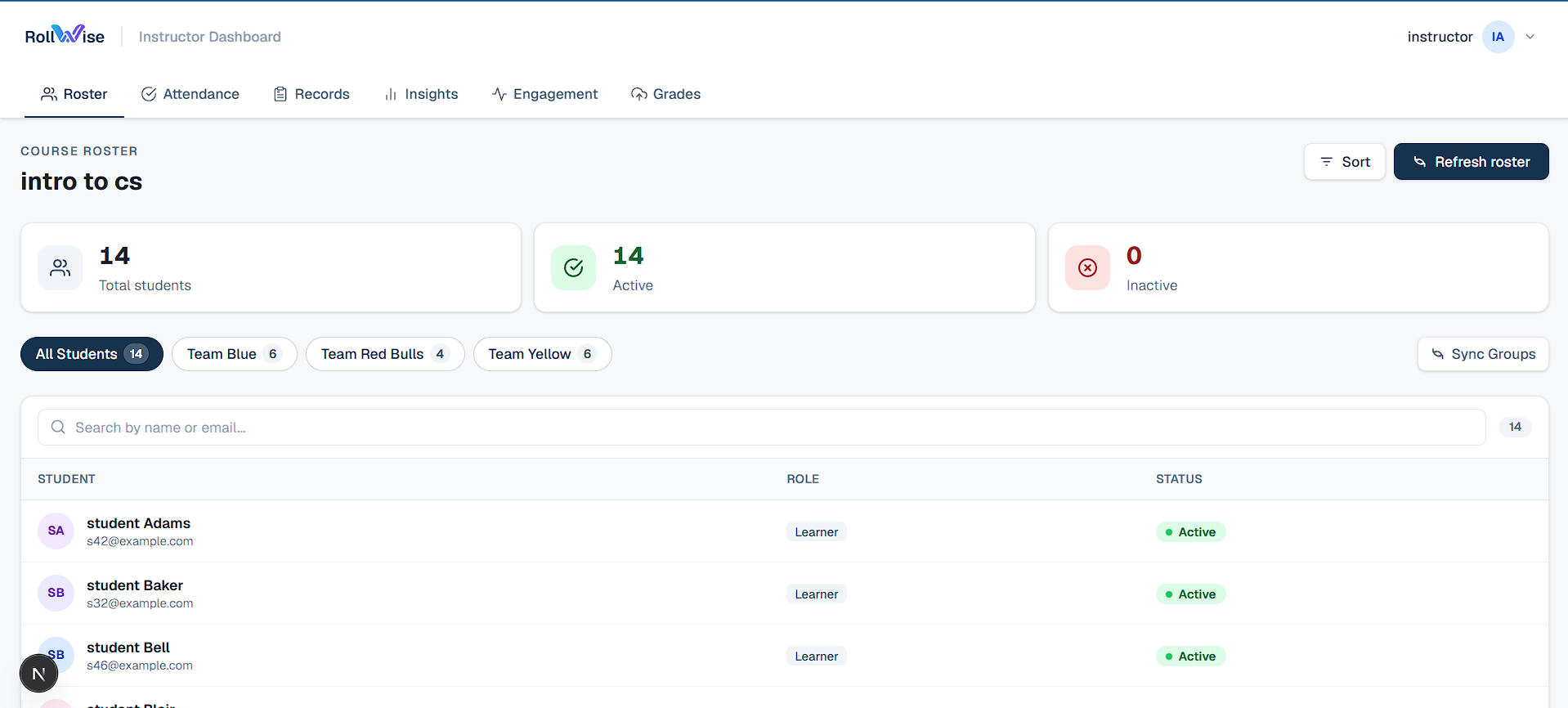
The real product
Actual instructor dashboard. No mockups.
Drift alerts
Ranked by severity.
- Dana F.58%
- Omar H.64%
- Lena O.71%
Morning briefing
Before you walk in.
- 4 missed last session
- 4 on absence streaks
- 1 pending absence request
Dismiss once — gone on every device until tomorrow.
Audit-ready exports
Every record, any format.
2 semesters · 312 sessions · < 5 min
ONLY ROLLWISE — THE FEEDBACK LOOP
An absence isn't a blank cell.
It's a conversation.
When a student misses class, RollWise automatically asks them why — privately, by email, with one click to respond or skip. No other attendance tool closes the loop with the student. Run it yourself:
Tue 09:00 — Intro to CS
Session open — Dana hasn’t checked in.
Nothing yet — the email sends automatically when the session closes.
INSIGHTS — ABSENCE REASONS THIS COURSE
Reasons appear as pills in Records & roll up in Insights — visible to you alone.
AND IT KEEPS GOING
Three more things only RollWise does.
Attendance that runs itself
Schedule it once. Walk away.
Sessions open and close automatically on your timetable — lectures, labs, multiple schedules per course. Students check in as usual; you did nothing.
Engagement, not just seats
Online courses count too.
See how students interact with your LMS course content — and create attendance sessions straight from assignment activity. Async and online courses finally get real attendance.
Records that survive audits
Every change, accounted for.
Full audit history on every edit, deleted sessions are restorable, and any range exports to CSV in one click. Built for academic affairs, financial aid, and accreditation.
THE DIFFERENCE
Most tools give you a record.
RollWise gives you a warning.
By the time a pattern shows in a gradebook, the window for intervention has passed. RollWise surfaces risk the moment it becomes statistically meaningful — and one click sends a message that says I noticed.
Take roll. Take action.
See RollWise running against your own LMS in under an hour.
LTI 1.3 Certified · FERPA-aware · No data sold, ever
See RollWise in your institution.
Share a few details and we'll walk you through the product personally. No slide decks, no sales pressure.